Basic Usage of the Camera Software
The software we use to access the camera feeds and watch recordings is called TruVision Navigator. Later in this document this will be referred to simply as Navigator.
The Main Window
After starting the software you will see the main window.
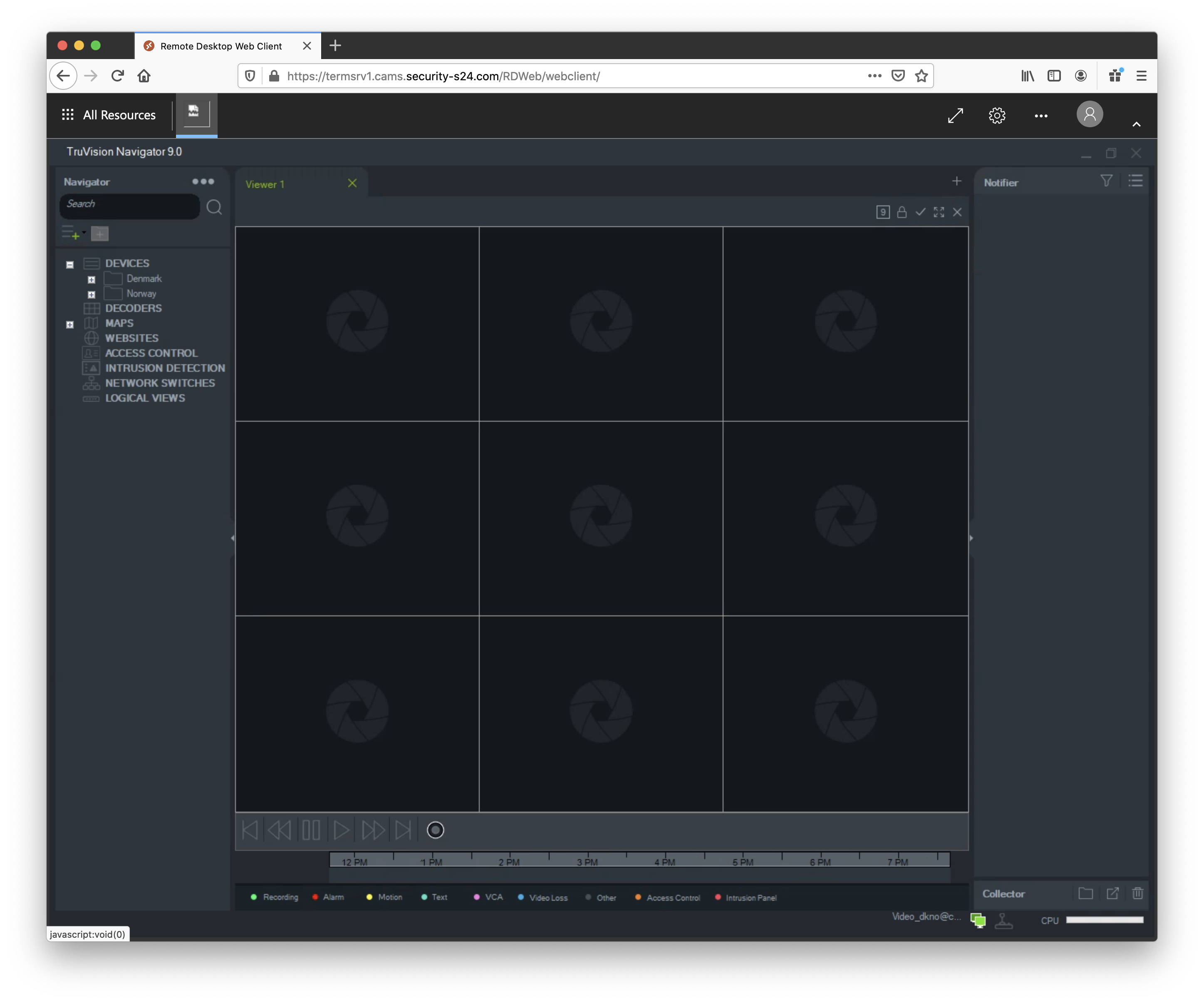
The main focus of the window is the grid of content panels in its middle. Here you will see camera videos and maps.
Underneath the grid there are playback controls and a timeline.
To the left you will find a tree menu which you can use to navigate countries and sites. For each site there is an overview map available so that you can see a camera’s location and viewing direction.
To the right there are two areas. The top one called Notifier may contain events for recorders and cameras (e.g. when an alarm is triggered or a problem has been detected). The bottom area called Collector is a place where you collect snapshots and video exports before you actually download and save them.
Countries and Sites
The left side of the window shows a tree containing a list of countries and sites. What you see here depends on your access level.
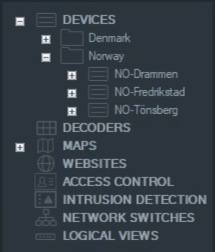
By opening the various navigation levels you can find all cameras of a site as well as a map showing camera locations.